

DESIGN SYSTEM
RESTRUCTURE
Led Design System restructure: from single file to modular, branch-based for clear collaboration.
INTRODUCTION
When I joined Swydo, the Design System was organized as a single file containing every component and asset the product used, making it hard for designers, developers, and other stakeholders to locate, scan, or validate anything.
I restructured it into smaller, purpose-specific files that communicate with each other — easier to scan, and easier for the whole team to review and contribute to through branches.
PROJECT
The system was rebuilt around the company’s brand and product principles at its core, then split following Atomic Design fundamentals into Foundations, Essentials, Compositions, Icons, and Illustrations — with tokens documented in the Foundations file to ease the conversation between designers and developers.
CHALLENGE
The main challenge was making the new structure adoptable, not just cleaner: designers needed to be able to branch, iterate, and request review on a single component without touching the rest of the system, while developers needed documentation they could trust as a source of truth.
MY ROLE
I led the Design System restructure as the team’s Product Designer — auditing the existing system, defining the new file structure and component categorisation, and documenting foundations and tokens, working closely with developers to make the new workflow stick.
NEW STRUCTURE
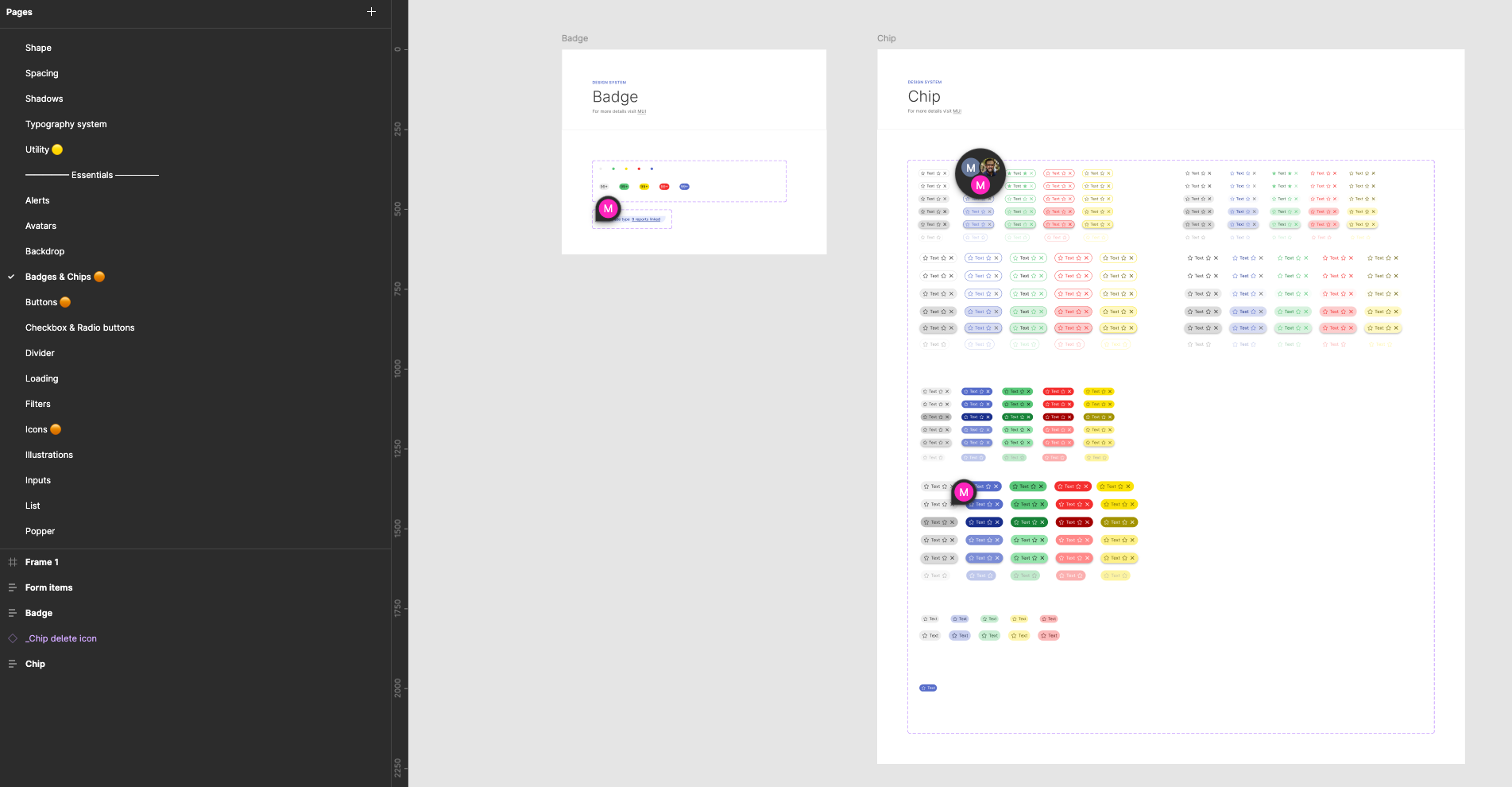
From previous experiences on Design System, the main goal was for me to split the design system into smaller files that communicate among them, making them lighter and easy to scan.
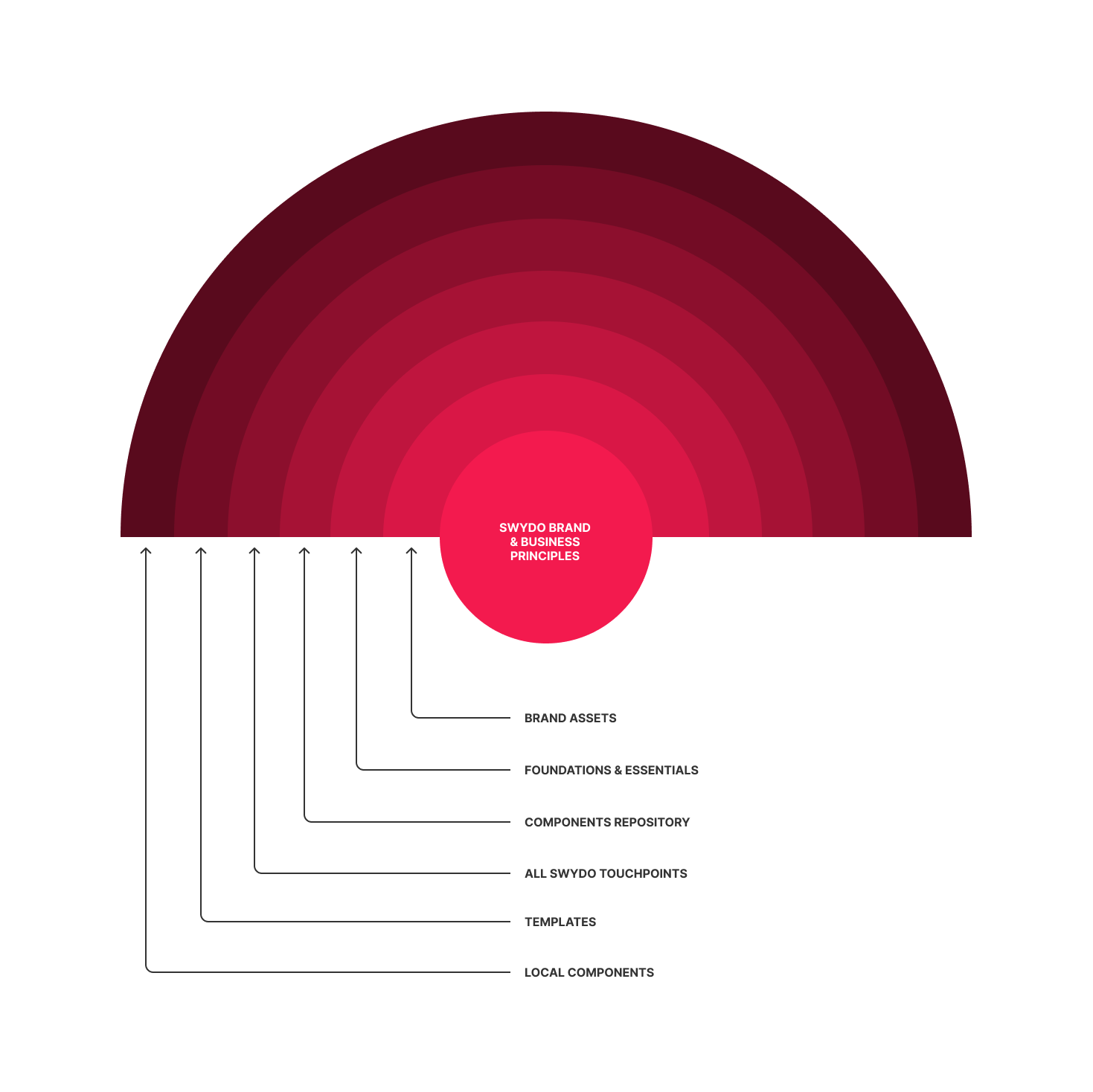
The first thing I did was identifying what was the core of the company, putting at the center of the project the company's principles, both for brand and business.
From there on, the graphic above wanted to show how from the core to the tangible assets, the organization of the assets could become a tool that allowed people in the company take their stake on the definition of every single step of the Design System creation, having the designers leading the project.
Here below, is a detailed flowchart of how these organizations of responsibilities and division of areas can unfold.
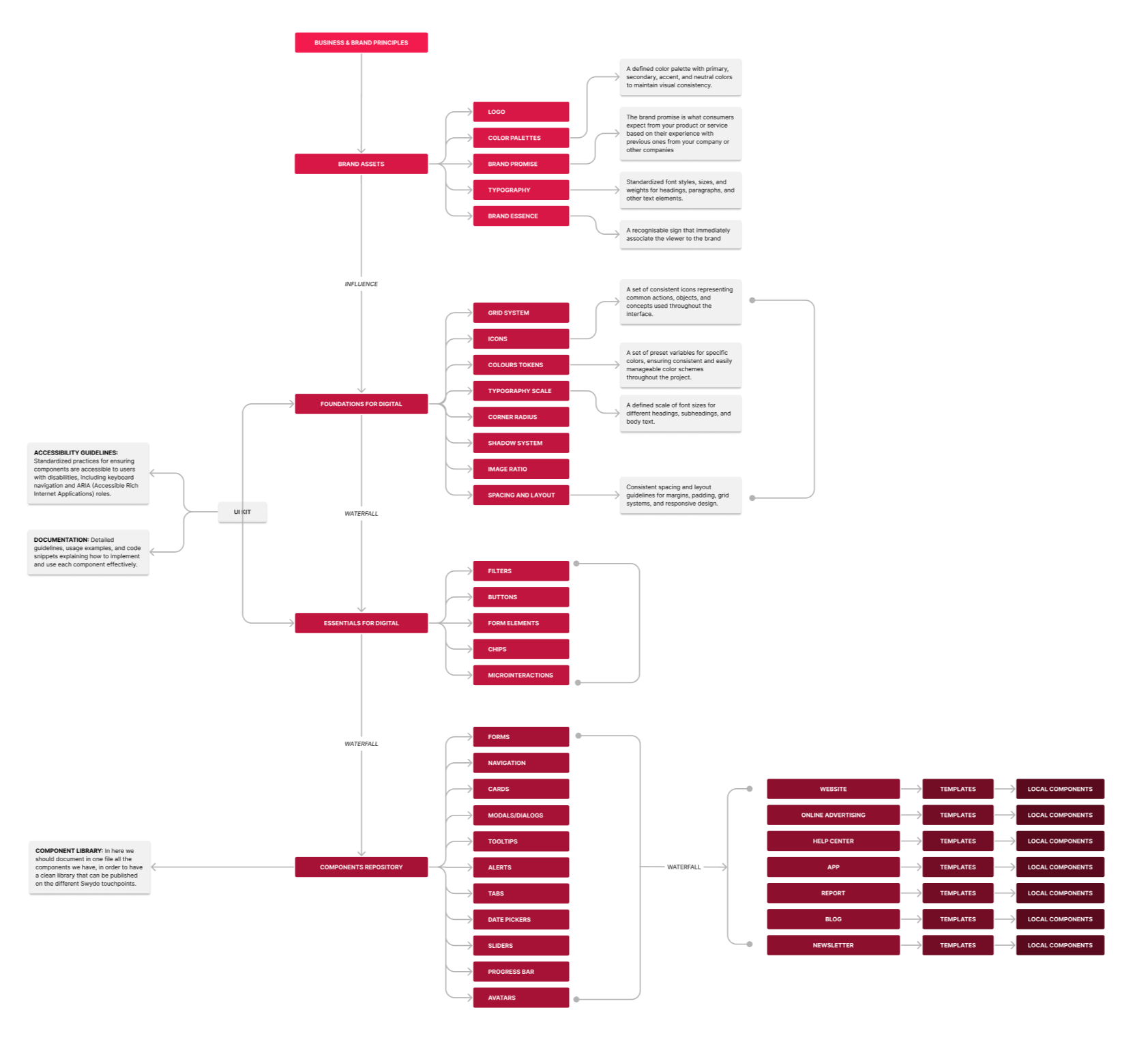
DESIGN SYSTEM - CATEGORIES SPLITTING
The first thing to do was the research on the components available. Once we identified the component's structure on the previous system, we classified the components following the Atomic Design fundamentals, dividing the assets into:
- Foundations
- Essentials
- Compositions
- Icons
- Illustrations
FOUNDATIONS
In the Foundations file, differently from the previous system, the idea is to work with Tokens, that, as commonly known, ease the conversation between designers and developers.
Primitive Colours
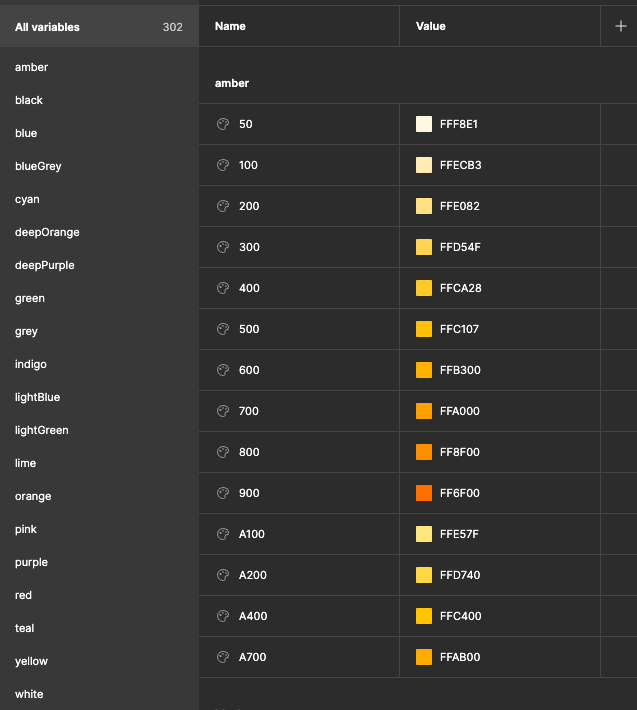
Colour Palette
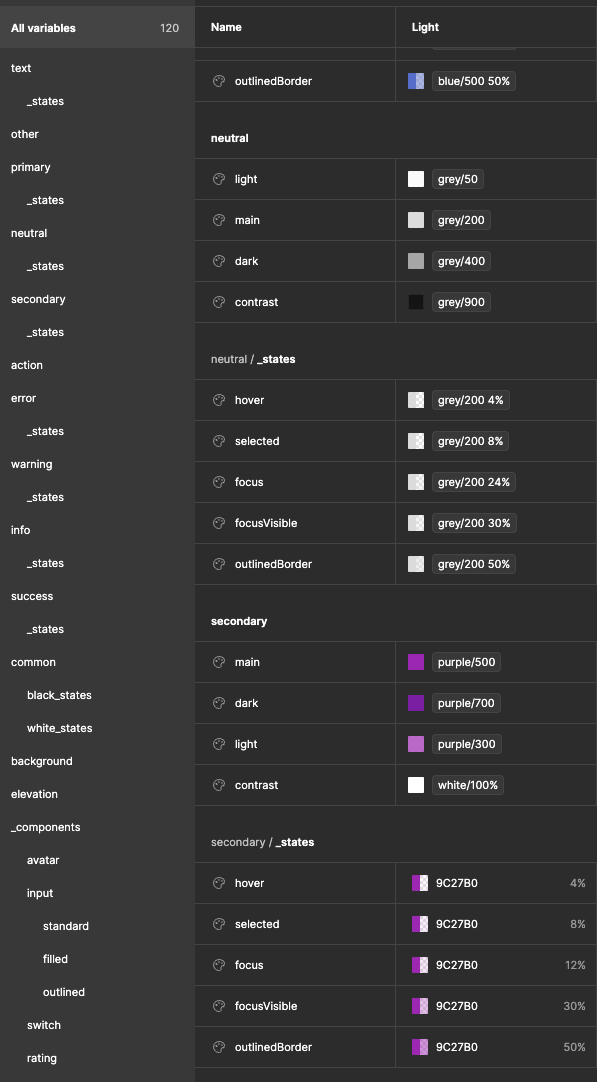
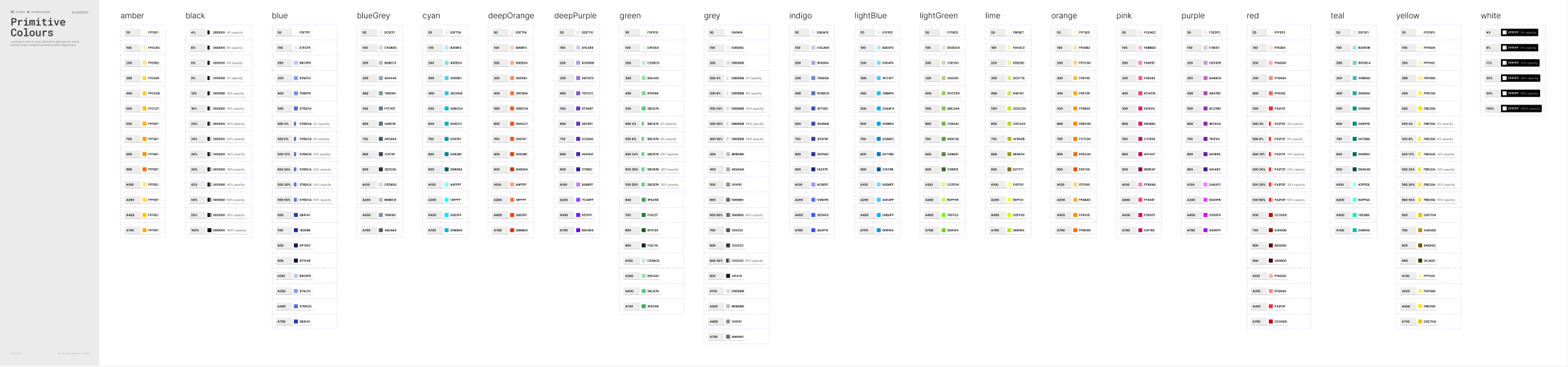
Once the tokens have been added to the documentation, I also created a more tangible version by designing some documentation in the Foundation file.
Here below an example for the Primitive Colours.
When it comes to components, the main idea is to locate in the Foundations file the elements that are not too complex in terms of construction and that will be relevant for the construction of other elements.
Here below an example of the Button component:
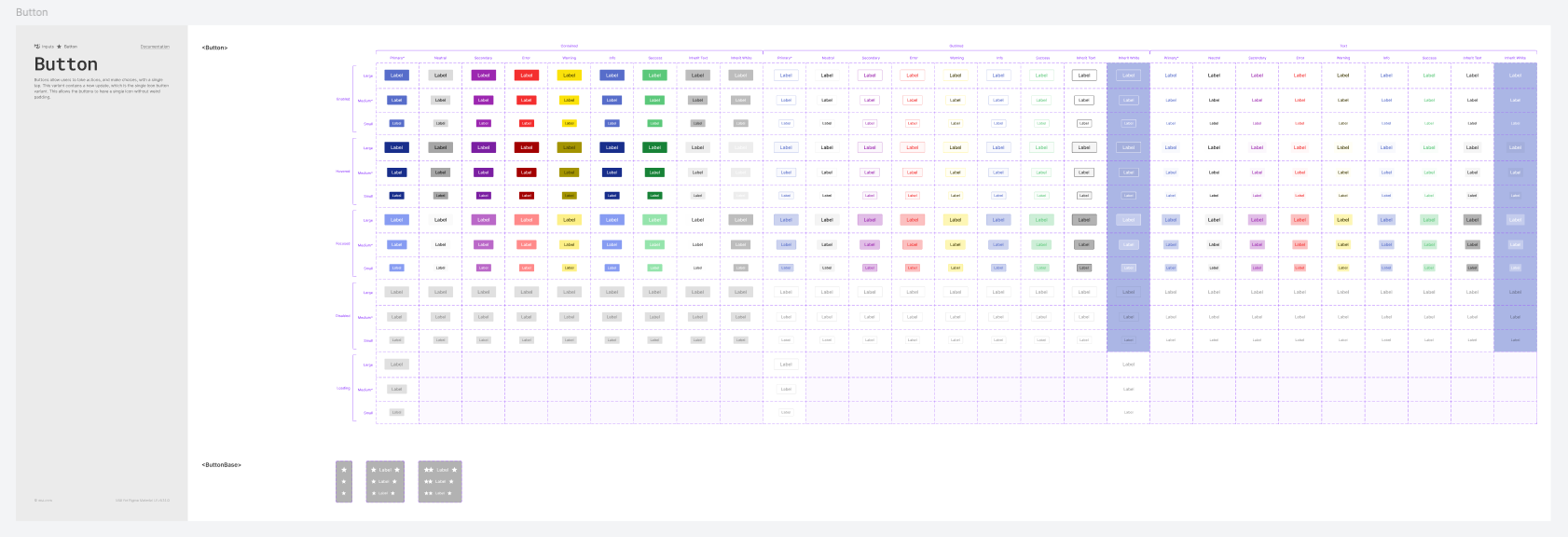
The benefit of having documentation divided with this criterion is that when there is the need to create a variant or change some settings in the current component, the designers can easily create a Branch and submit it to be supervised.
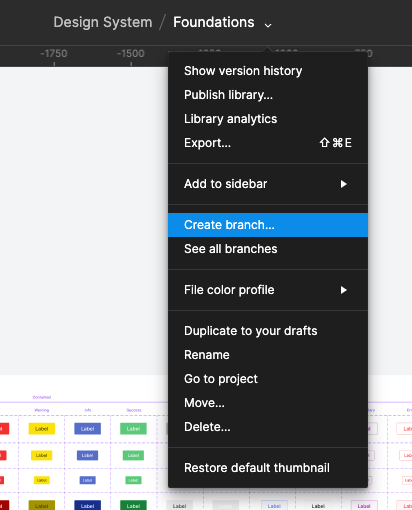
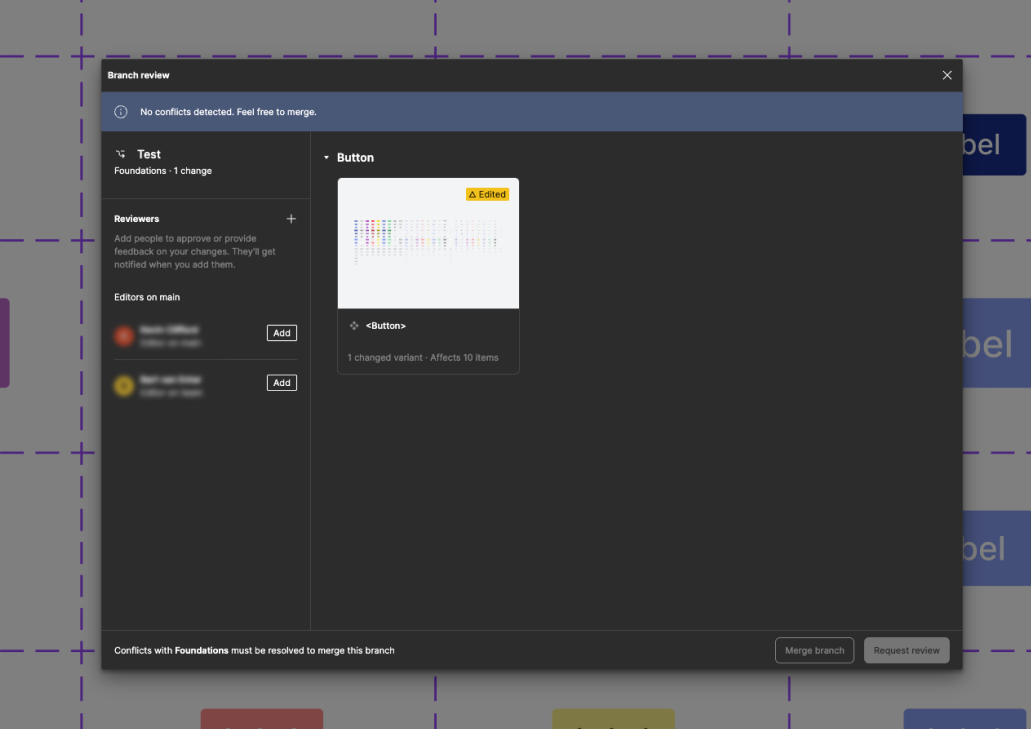
Once the work on the branch is over, the designer can request a review from other stakeholders who can leave comments, or merge the branch if there are no major issues.
ESSENTIALS
After the Foundation file, the Essential includes more complex components, or molecules, to follow the Atomic Design principles.
The idea is that components present at this level, are built with components coming from the Foundation file. An example could be the Button Group component.
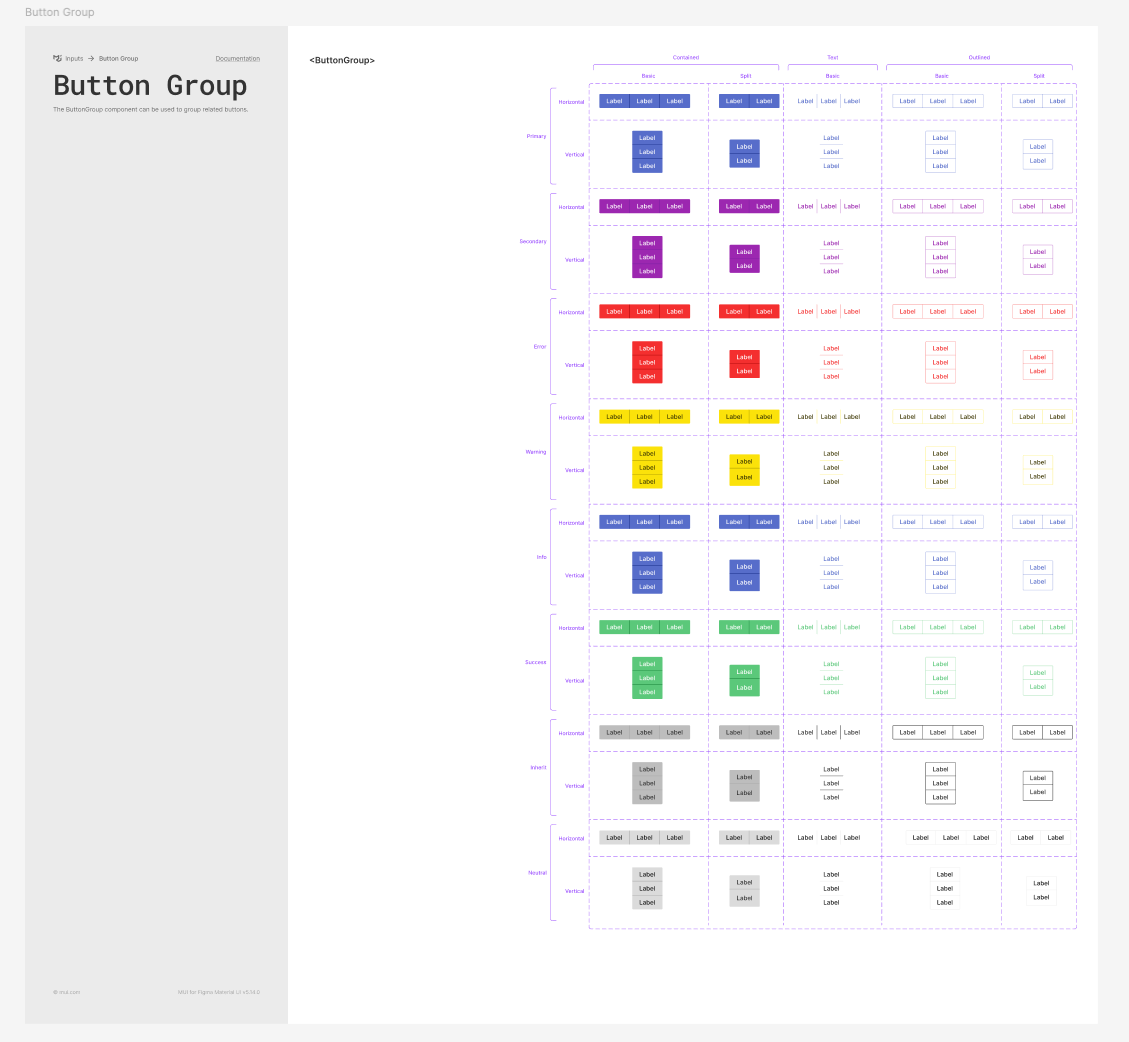
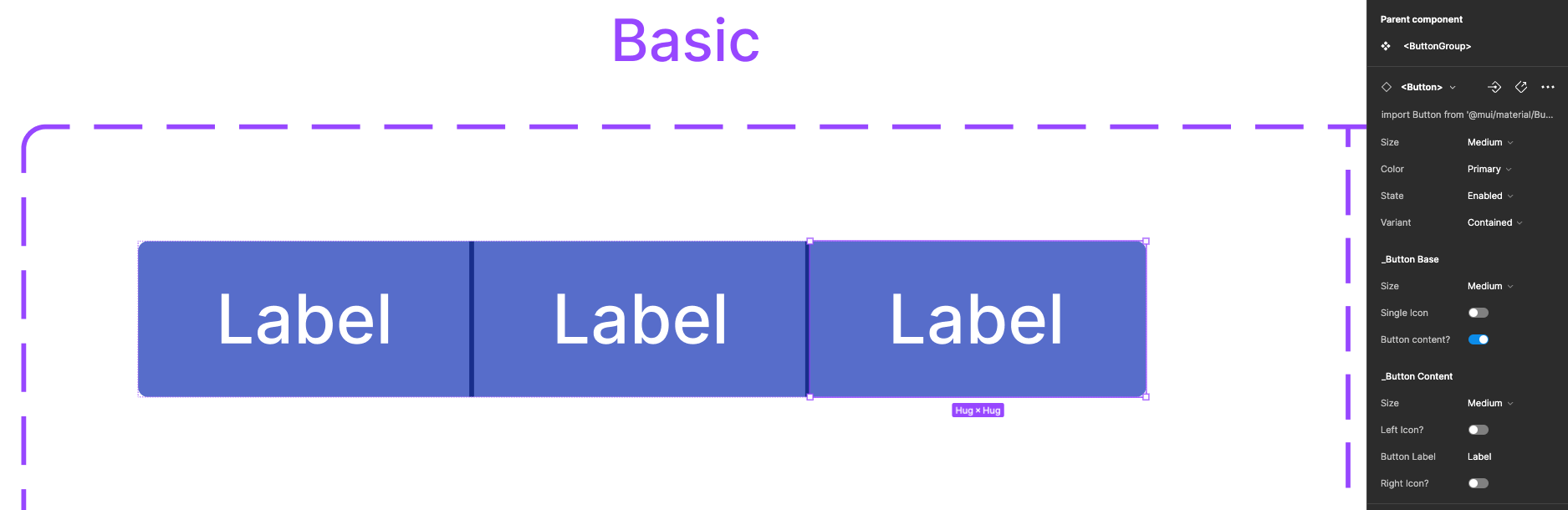
Above the documentation of the component, and below the structure of how the nested component is shown in the side toolbar.
The designer can either control the parent component or the nested component, as shown below.
COMPOSITIONS
The Composition file is the one that hosts all the bigger reusable components and more complex structured ones.
Here below I show how to approach the construction of a reusable component with the example of the Header.
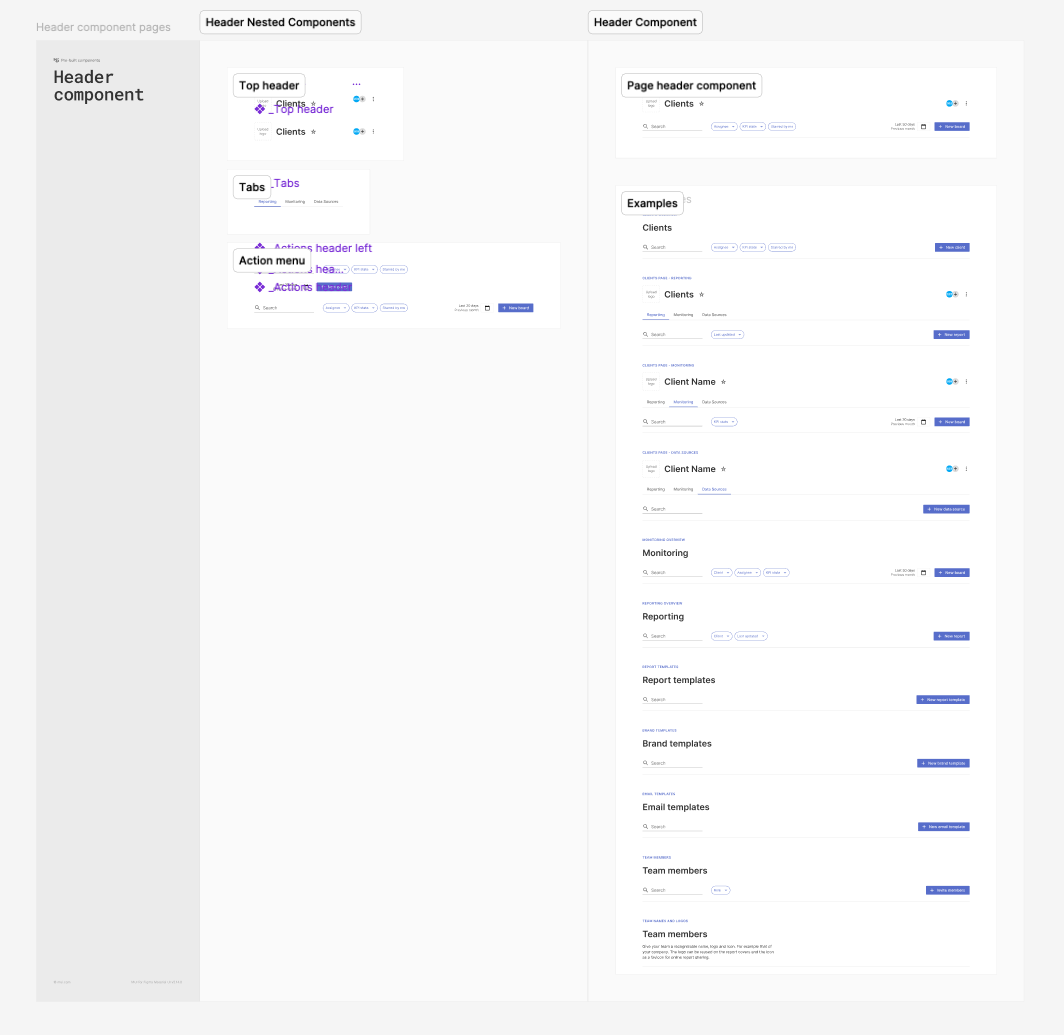
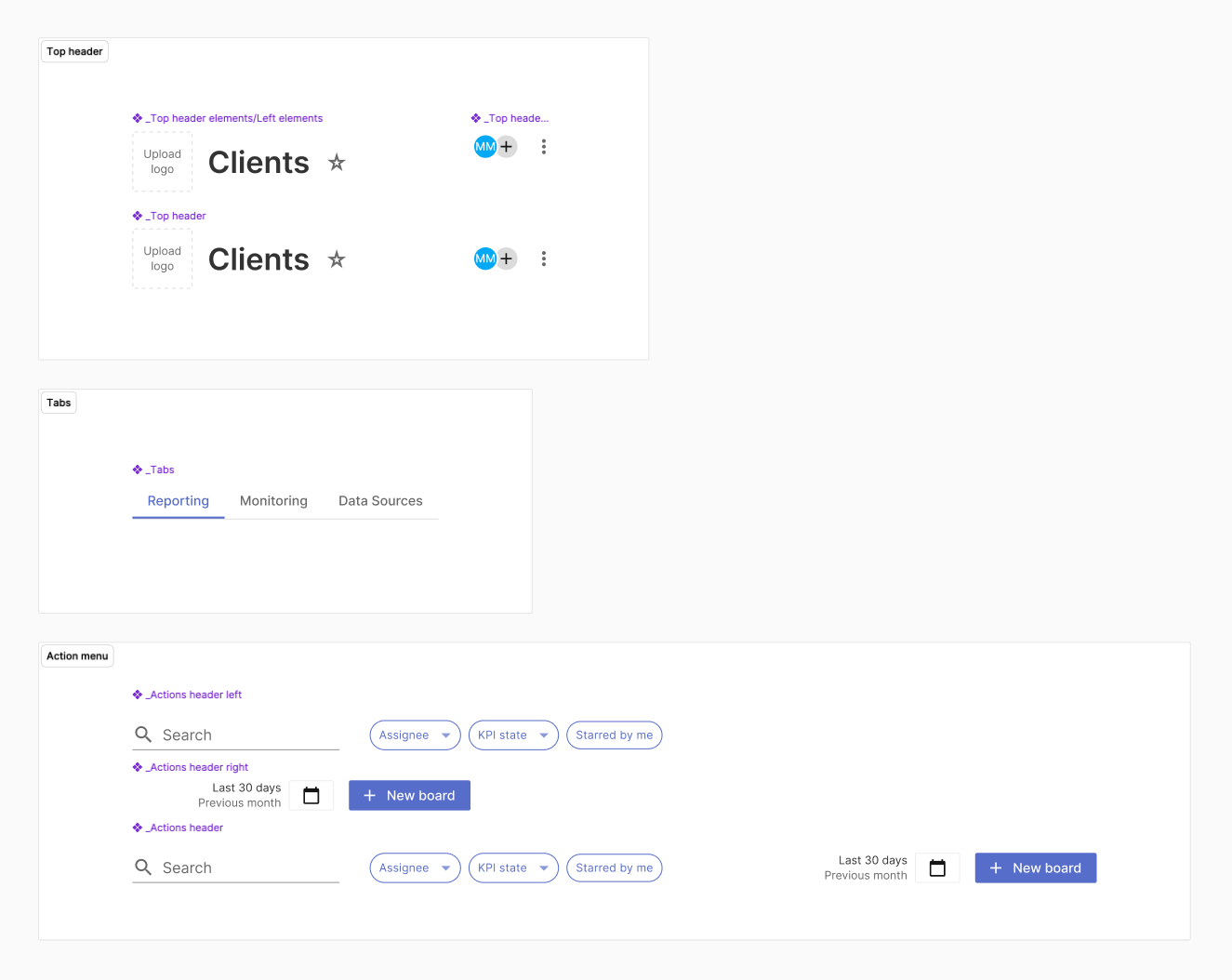
Here below a detail of how nested components are built.
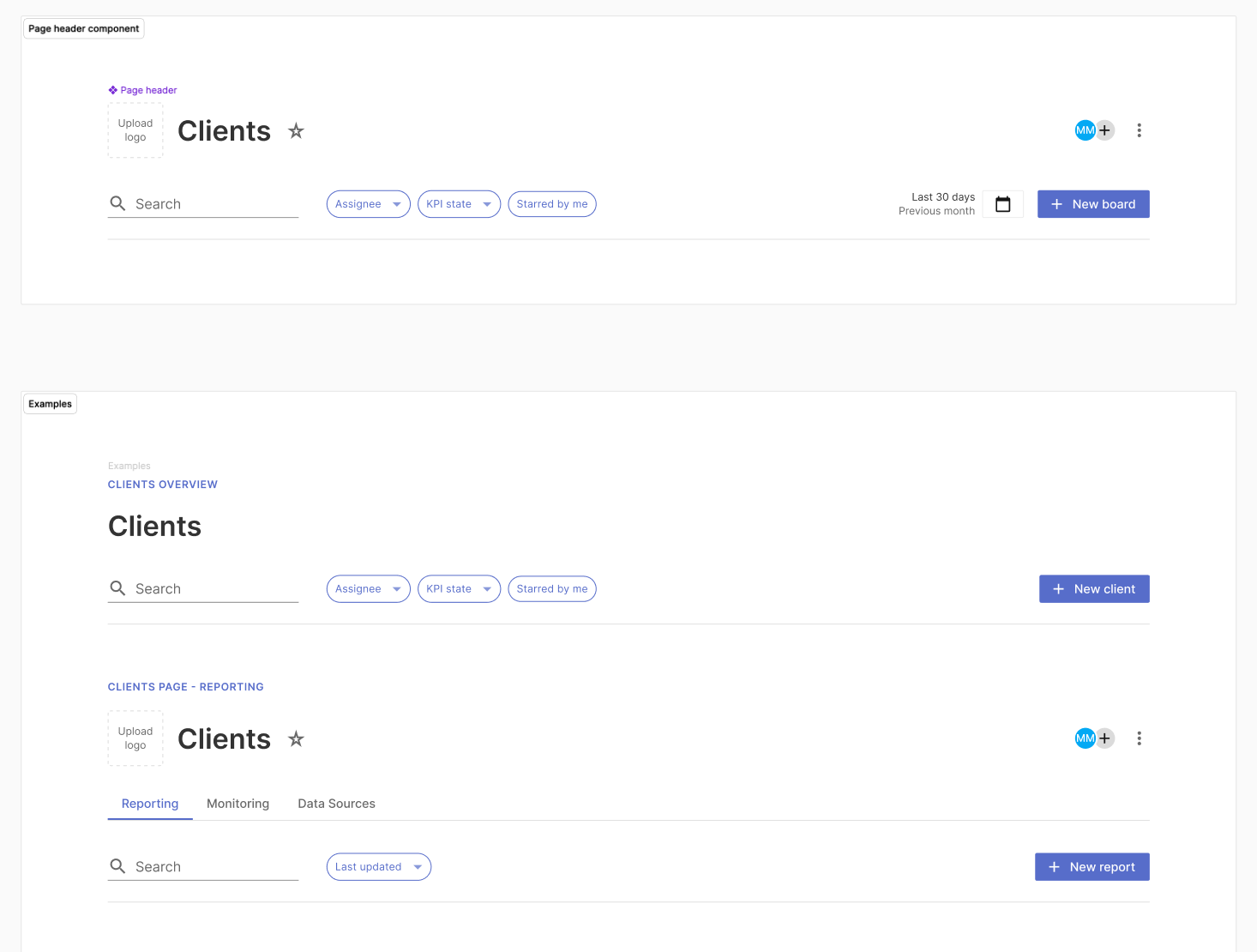
And this is how a more complex component will look like once it has been built and properly documented.
CONCLUSIONS AND AGREEMENT
These updates to the Design System helped to have seamless communication between designers and developers and facilitated the production of new features.
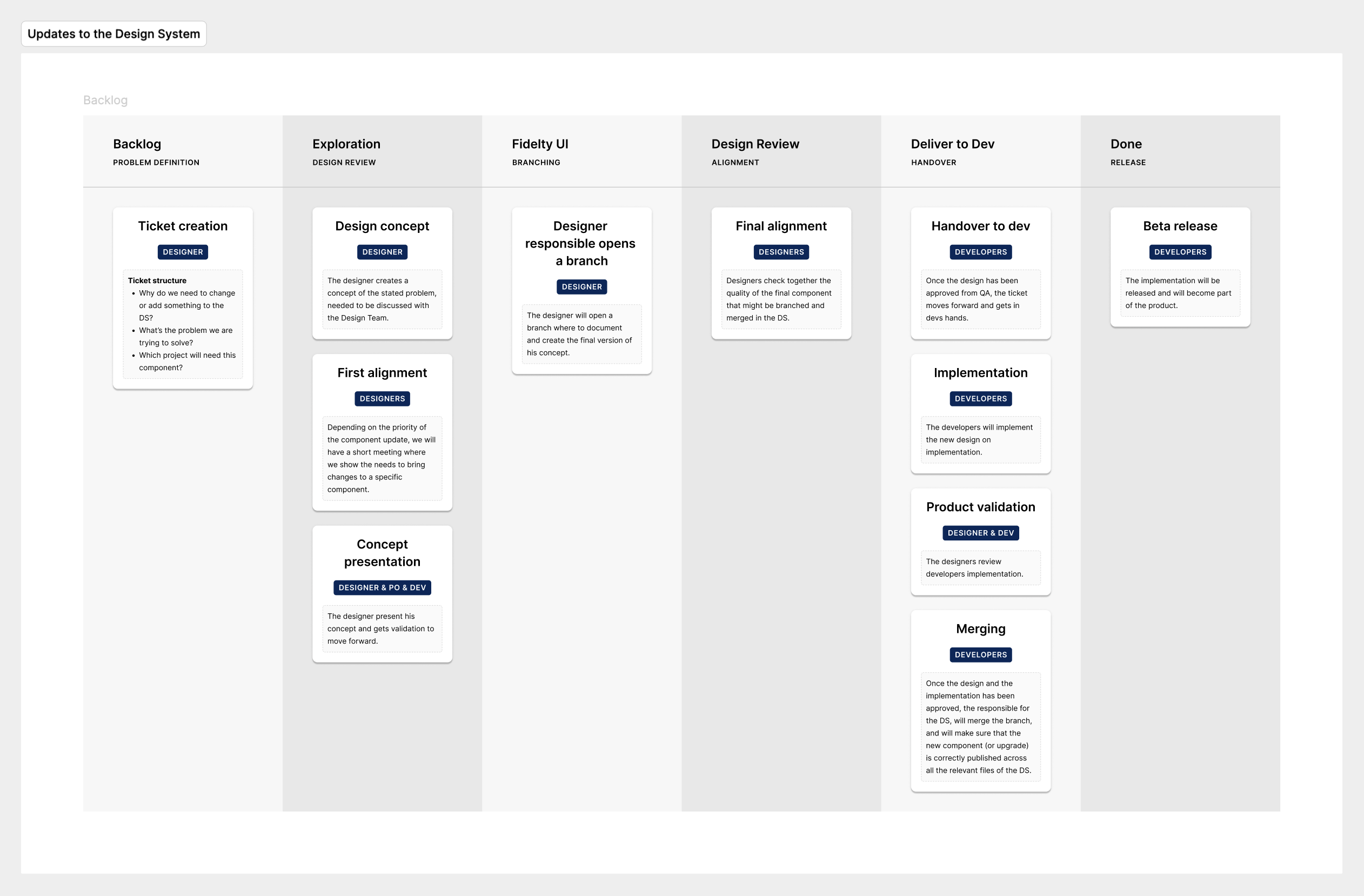
Every time a new component will have to be implemented or an existing component will need some changes, here below I defined a process to share on the designer's side, on how to approach possible integrations.